ITEM
DESCRIPTIONS:
5
in 1 - Higher
Quality:
- Take Video with Voice
- Take Picture
- As PC Camera
- As a Key Chain
- As a USB Memory (To save data)
** We give Full
accessories, Including USB Cable and Gift Box.
Other sellers maybe not included this.
Item Description:
This
video
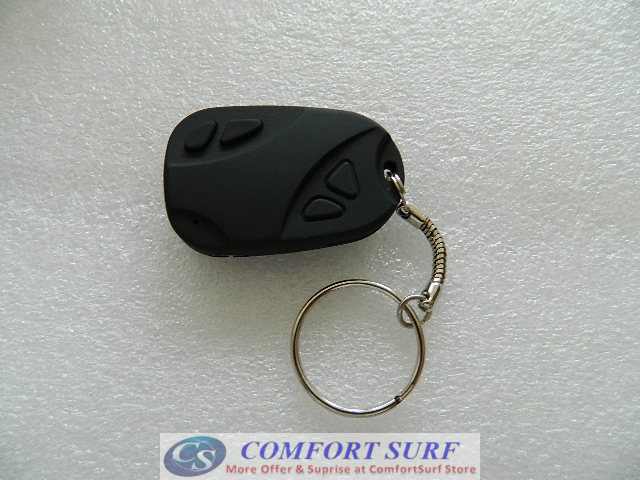
recorder (car key type) is the first Mini Box
with high-definition video recording function and support TF card. It
may take both photo and video. With simple operation, elegant design,
small size, it is easy to carry. It is an essential utility in
business, education, security, media, justice, tourism, health care,
living and other field.
#
Condition
- Brand New
# External Memory: support the TF/Micro SD expansion card from 128MB to
8GB (Not included Memory Card)
# Internal Memory: No
# High definition video with voice lets
# Color
Video
and Audio Recording
# Video
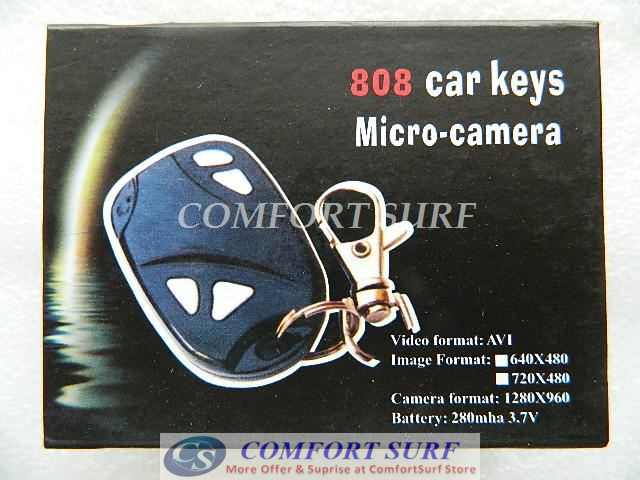
AVI
Format 720 x 480 High Resolution
(30fps)
# Photo JPEG
Format 1280 x 1024 pixels
# Playback video on your PC
# Easy connection with PC/Laptops, no driver needed
# Easy to use "One Touch" record button
# USB Plug & Play Compatible
# Built-in rechargeable high-capacity Lithium polymer
# Battery Type:High Capacity Polymer Li-ion Batter About Working
60-90Minutes
# Real
time
record any video and audio evidence instantaneously
# Support system: Windows98SE/ME/2000XP/Vista/LINUX2.4 above and
automatically distinguish operating system.
# Dimension: 50 x 32 x 13mm
How
to use
1. Charge
The battery is built-in lithium rechargeable battery, so when you use
it the first time, please charge firstly by the computer's USB PORT.
2.
Power
on to video
Please confirm the TF card has already been inserted products!
(Products will not work without insert MicroSD inside)
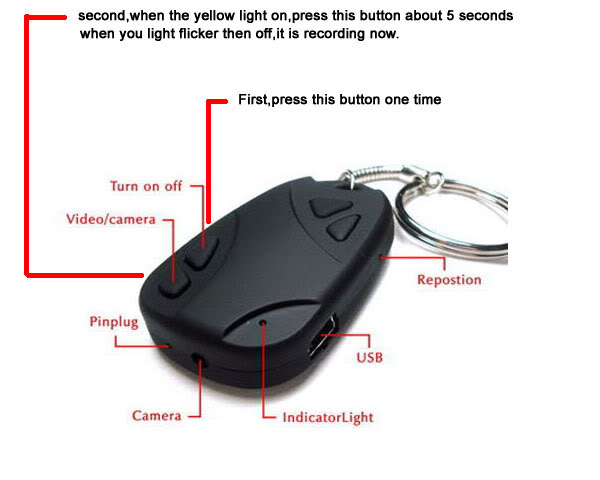
Press "ON/OFF" button, Yellow LED light up and now in standby Mode.
Long press (3 second) the Video/Photo button, LED will blink 3 times
and video recording start (LED will when off at this time). Press once
the video/photo to save and go to standby mode.
3. Take Photo
Press "ON/OFF" button, yellow indicator light begins to bright, now it
enters into startup standby mode.
Press "VIDEO/CAMERA" button once. yellow indicator light flash once,
represents a photo shoot. Repeated press, repeat photo.
4. PC web Camera:
Download
the PC WEB Camera Software Driver at: http://comfortsurf.com/Download2.aspx?id=28
Install the driver.
In ON condition, plug in to usb port by usb cable and it will
change the mode to PC camera button and install the driver.
5.Power
off
Long press (3 second) the
power "ON/OFF" Button, it will
off.
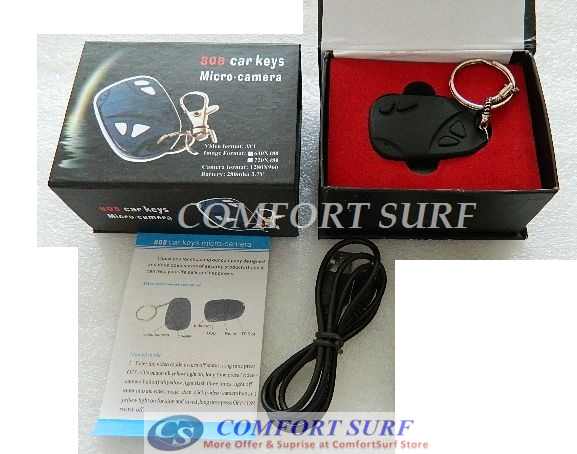
** We give Full
accessories, Including USB Cable and Gift Box.
Other sellers maybe not included this.
Package
Content:
1 x Key
Chain Video Camera (Not include Memory Card)
1 x USB cable
1 x Manual in English
1 x Gift Box
Optional Purchase:
2GB,
4GB, 8GB, 16GB Micro SD Memory, Click Here: http://comfortsurf.com/ProductsList.aspx?type=memory_card
Thanks for visit.
|